
Overview
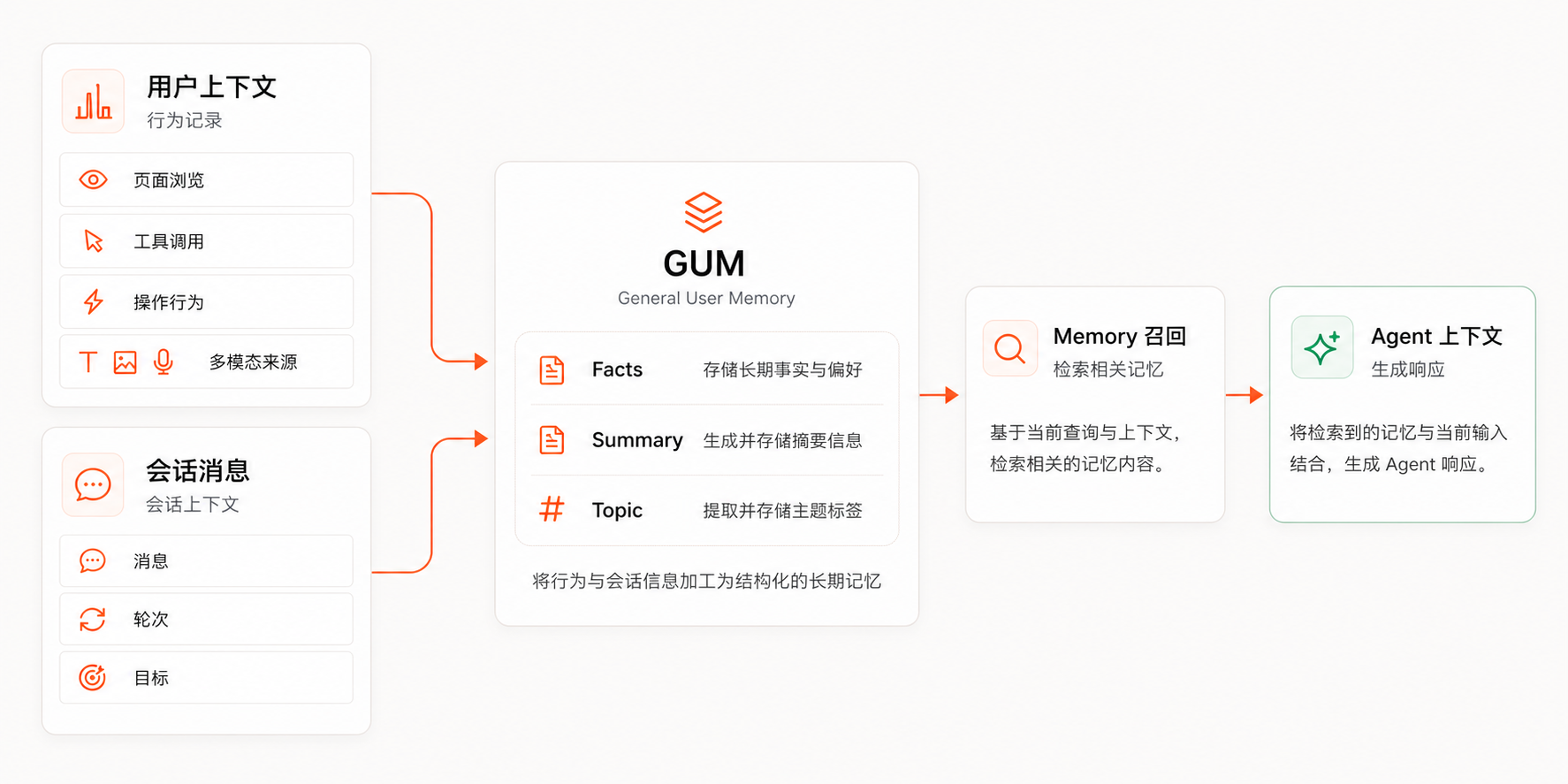
GUMem (General User Memory) is a user memory engine for Agents. It accepts conversation messages and behavior records, extracts reusable Memory, and recalls relevant context in later Agent turns.
The four-layer Memory model
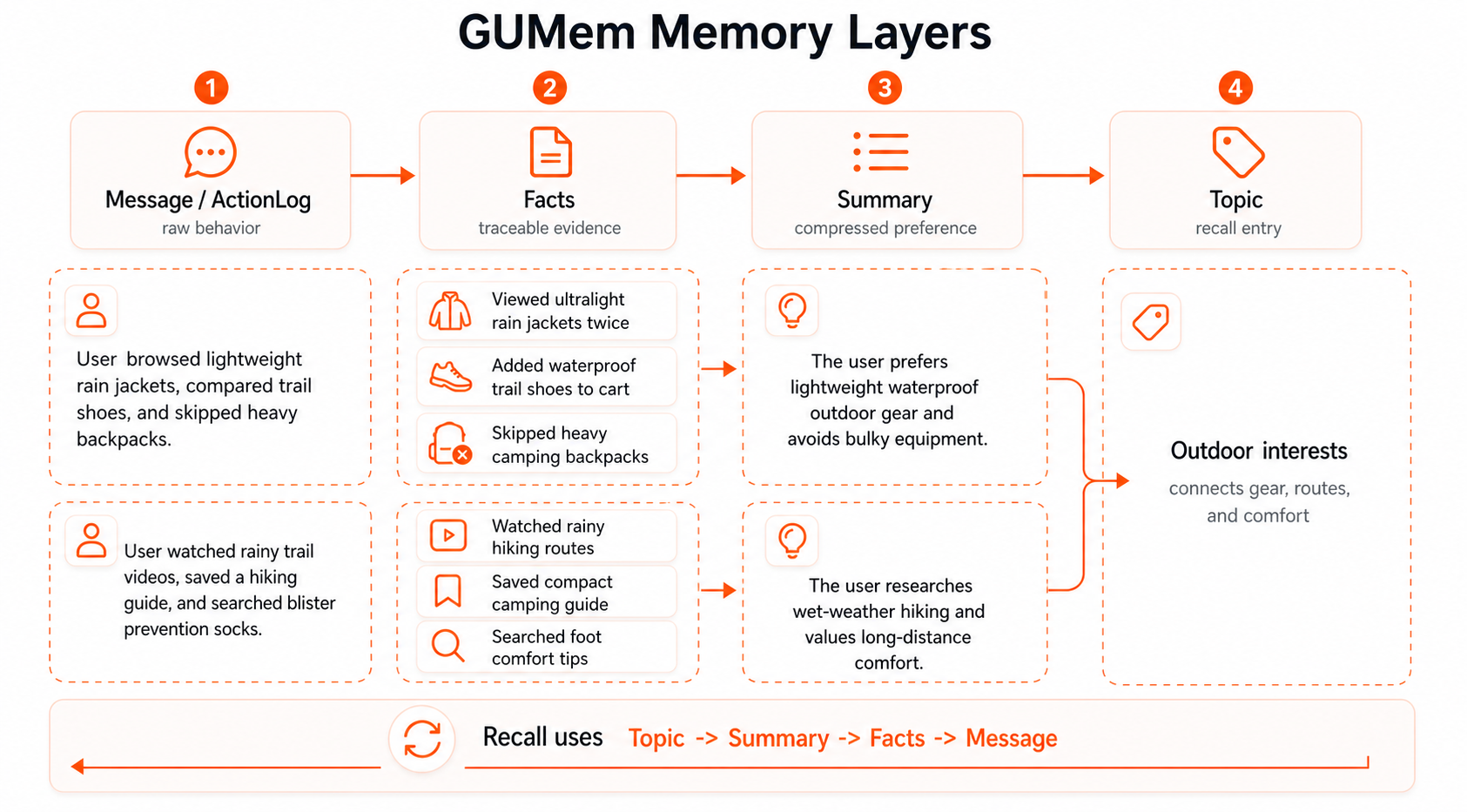
GUMem's public model is easiest to understand by recall depth:
| Layer | Role | Example |
|---|---|---|
Topic | A high-level area used to find related memory. | team scheduling |
Summary | A long-term compressed memory supported by Facts. | The user prefers Berlin as the default city for Europe team scheduling. |
Facts | Traceable facts, preferences, plans, or constraints extracted from Message input. | The user said Europe maps to Berlin and Americas maps to Toronto. |
Message | Raw conversation or behavior input. | User messages, searches, filters, saves, or tool results. |
Writes usually start from Message, then produce Facts, Summary, and Topic. Recall usually starts from Topic, retrieves the related Summary, and adds supporting Facts when needed.
Core capabilities
| Capability | Description |
|---|---|
| Conversation Message writes | Add user, assistant, or system messages to a Session and send them into the Memory processing pipeline. |
| Behavior Message writes | Record searches, filters, clicks, saves, tool calls, and business events to capture intent the user did not explicitly type. |
| Facts and Summary generation | Extract traceable Facts from raw input, then compress them into Summary for long-term recall. |
| Topic-layered recall | Find relevant Topic first, then recall Summary and supporting Facts in a later Agent turn. |
| Governance and explainability | Keep source, processing stage, status, and webhook extension points for audit, filtering, and business rules. |
Smallest integration path
- Create a
Sessionand bind it to your business user identifier. - Write Message input after conversation or behavior events happen.
- Call Query Memory before the next Agent response.
- Put
formatted_contextor structured Memory into the model context. - After the response is generated, write the new user message and assistant reply back to GUMem.
The order matters: recall, generate, then write back. This lets the Agent use Memory settled before the current turn instead of treating its current reply as historical fact.
Documentation entry points
- Quick Start completes the first integration with the Node SDK, Python SDK, or cURL.
- How GUMem Works explains Message, Facts, Summary, and Topic.
- Multimodal Content explains how text, image, and video content enters GUMem.
- Add Memory writes new Message input.
- Query Memory explains how to recall Topic, Summary, Facts, and recent Message context.
- User Case shows how GUMem fits into a typical Agent turn.